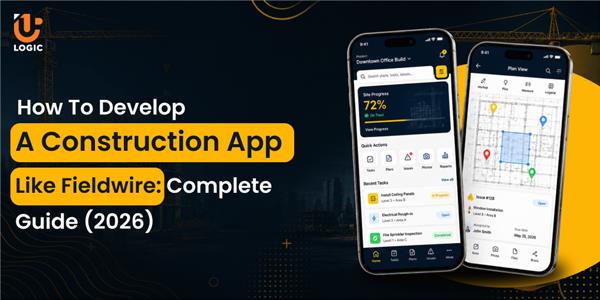
Construction businesses often struggle with communication gaps between the field and office. While it may seem negligible on the surface, it leads to serious repercussions that can deter growth. Workers on site work using the architect’s old blueprint, resulting in structural errors and cost overruns. From reducing scheduling conflicts to improving inventory accuracy and automating compliance paperwork, businesses have strong reasons to develop construction app like Fieldwire in 2026.
General contractors, site supervisors, and project owners can leverage construction apps to streamline project management through connected workflows. However, developing a construction app requires addressing challenges such as data conflicts, regulatory compliance, field usability, and jobsite connectivity. This blog aims to guide businesses through the process of developing a construction app like Fieldwire and explain how partnering with a construction app development company can simplify the overall development process.
Construction Management Software Market: Demand, Trends & Future Outlook
Across various countries in Europe, there is an increase in investment in the construction of infrastructure projects. Mobile-first field operations tools are turning out to be essential for franchise operators and trade contractors. The global construction management software market is fragmented, with leading players such as Autodesk Inc, ConstructConnect Inc, Oracle Corp., etc. Businesses expect real-time cost and schedule visibility in their construction management software.
Interesting data show how computer vision modules lower rework incidents by 38% on pilot sites. Project management apps are gaining wider adoption as stricter reporting requirements emerge from regulators such as OSHA and the EU. A regional analysis of construction management software spending shows North America at the forefront, with more than 35.64% of 2025 spending.
- The construction management software market is forecast to grow to USD 17.81 billion by 2031.
- Trends that dominate the construction app market include AI and interoperability.
- Mobile-first solutions are reducing adoption barriers for businesses previously constrained by tight margins, limited IT support, and costly integrations.
What Do You Need to Know About The Fieldwire App
Understanding the core aspects of the Fieldwire app is significant before you start to develop a construction app like Fieldwire. Fieldwire is a construction management app that connects field owners, project managers, and designers. Considered an all-in-one construction suite, the app helps track tasks, handle real-time documents, and gain access to up-to-date blueprints. With a field-first design, the management tool makes interacting with the app feel natural for field workers and office staff.
For the jobsite, the field-first tool enables seamless coordination among foremen, designers, project managers, and everyone involved in the project. The app delivers automatic version control to confirm that the team works from the latest set of blueprints. The jobsite management platform enhances on-site operations for greater efficiency.
How did the Fieldwire app become popular?
Launched in 2013, the task management tool brought in massive field workers, with a $300 million acquisition by the Hilti Group in 2021. Foremen and subcontractors can use their smartphones to oversee tasks, check markup plans, and work on their projects.
On active job sites, field workers may not always have a stable internet connection. The Fieldwire app has offline functionality, thus aiding crews in accessing blueprints and project data to manage their work.
Successful partnership with Hilti enabled the app to support integrations with popular enterprise tools. The strategic backing allowed the app to expand its reach drastically.
How to Develop A Construction App Like Fieldwire: Essential Steps
When you decide to develop a construction app, you must remember that the project yields desired outcomes based on a structured process and clear scope definition. Firms should prioritize their major concerns and plan the app functionalities to solve the actual pain points. A reliable app development company like Uplogic develops construction apps that align with your business goals. With their support, you can launch your construction app like Fieldwire without any coding knowledge.
1. Analyze Market & Define Requirements
The success of a multi-stage process depends on how effectively it aligns with real-world workflows and addresses your specific pain points. Engage in meaningful discussions with construction professionals, project managers, and field crews to identify the functionalities you need to enhance efficiency and drive the overall growth of your construction business. When defining the project scope, keep constraints in mind and establish clear goals for your construction management app.
2. Map Your User Workflows & Designs
In this phase, construction companies should define clear user roles such as project managers, subcontractors, field workers, and owners. From daily progress tracking to punch list management, every workflow should be clear and easy to follow for dedicated teams. A simple, mobile-friendly interface can improve user adoption while reducing training time for field teams. Interactive prototypes can also help validate real user journeys, identify usability issues, and refine the experience before development.
3. Finalize The Tech Stack for App Development
The technologies you use for the development process is significant because it confirms real-time sync on busy job sites and offline capabilities. The app should handle large image files and daily progress videos smoothly. For the frontend, React Native is a suitable choice, while Node.js can power the backend APIs. For managing users, projects, permissions, and other construction data, PostgreSQL can provide reliable and efficient data management. An experienced development company can select and implement the right technologies to build a construction management app that delivers the desired outcomes.
4. Core Construction App Development
This is the stage where the core functionalities of the construction app take real shape. The development team starts building essential tools for task management, document viewing, offline data access, role-based access control, and notifications. The project is divided into sprints, with every milestone communicated to you to maintain transparency throughout the development process. This is where business logic, system integrations, and high-volume data handling are brought together to build the complete solution.
5. App Testing & Deployment
Early detection of any flaws enables you to optimize the construction app for better performance and functionality. Assign a Quality Assurance (QA) team to test the app for security, usability, scalability, and functionality to help fix issues optimally. After getting the green light from the testing team, the construction app is ready to go live. Regular updates and maintenance will help keep the app functional, reliable, and running smoothly.
Key Features To Integrate In A Construction Management App
Features are fundamental to a construction management app like Fieldwire. When developing a construction app, companies should focus on the value it brings to the overall workflow and carefully plan every aspect of the process.
Project Planning & Scheduling
Centralizing workflows is an essential feature of the construction management app. Visualized project timelines and progress aid in scheduling procedures. Specific allotment of team members to tasks and clear markers for major deliveries help increase visibility.
Document Management
The struggle with paperwork and version control is real. The app securely stores blueprints, contracts, and other essential documents, giving you easy access whenever you need them. More importantly, it helps ensure your team is always working with the latest versions, reducing confusion, errors, and outdated documentation.
Safety Management
In construction, safety is non-negotiable. From custom safety audits and digital checklists to mobile incident reporting and offline access, every feature helps keep your teams and worksites safer. The Fieldwire-style construction app helps teams identify and mark hazards using markup tools and comments directly on digital blueprints.
Daily Reports & Analytics
A built-in daily reporting feature lets foremen log weather conditions, crew attendance, equipment usage, and site progress directly from a phone or tablet, with photos attached for context. For project managers and owners, this visibility replaces guesswork with data they can act on before small slippages turn into missed deadlines.
Punch List Management
A digital punch list feature lets inspectors and supervisors flag defects or incomplete work directly on the blueprint, assign it to the responsible trade, attach photos, and set a due date. Once the item is resolved, the assigned worker marks it complete with proof, and the item routes back for verification.
Offline Capabilities
Offline functionality allows field workers to keep viewing blueprints, updating tasks, filling out reports, and marking up plans even without a live connection. Once the device reconnects, the app syncs all changes automatically in the background, resolving conflicts where needed.
Expense Tracking
Cost overruns rarely show up as one big surprise; they build up from small, unlogged expenses across materials, labor, and equipment rentals. An expense tracking feature lets site teams log costs as they happen, categorize them by project phase or cost code, and attach receipts directly from their phone.
The Cost of Fieldwire-Style Construction App Development
There’s no single number that applies to every construction app project, since cost depends heavily on scope, platform choice, and the depth of features you want at launch. A few factors that move the needle the most:
1. Feature complexity: A basic MVP with task management, document viewing, and offline sync costs meaningfully less than a full suite that adds punch lists, daily reporting, analytics dashboards, and expense tracking.
2. Platforms targeted: Building for iOS and Android natively takes more effort than a single cross-platform build using a framework like React Native, though native builds can offer better performance for camera-heavy, offline-first workflows.
3. Integrations: Connecting to accounting software, ERP systems, or BIM tools adds development and testing time, especially when third-party APIs have their own quirks and rate limits.
4. Backend and infrastructure: Real-time sync, large file storage for blueprints and photos, and role-based permissions all require robust backend architecture, which affects both build time and ongoing hosting costs.
5. Design and UX work: Field-first apps live or die on usability. Investing in prototyping and usability testing upfront tends to reduce costly rework later.
6. Post-launch maintenance: Ongoing updates, bug fixes, OS compatibility, and feature iteration are recurring costs that continue well after the initial launch.
Partner With Uplogic To Develop A Custom Construction App
Building a construction app that field teams actually want to use takes more than good intentions; it takes a development partner who understands both the technical and operational realities of a jobsite. Uplogic works with construction businesses to turn real workflow pain points into functional, field-tested app features, from offline-first architecture to role-based access and integrations with the tools your teams already use.
When you’re planning a full-featured construction platform, Uplogic can guide you through requirement analysis, design, development, and long-term support.
Final Thoughts
The gap between field and office is one of the most persistent, and most solvable, problems in construction today. A well-built construction app doesn’t just digitize paperwork; it closes communication gaps, keeps everyone working from the same set of plans, and gives project owners real visibility into cost and progress. As the market continues to grow and mobile-first tools become the norm rather than the exception, businesses that invest in the right construction app now will be better positioned to handle scheduling conflicts, compliance demands, and jobsite connectivity issues down the line. Partnering with an experienced development team ensures the app you build actually reflects how your crews work, rather than adding another tool they have to work around.
FAQ
Timelines vary based on scope, but an MVP with core features like task management, document access, and offline sync typically takes a few months, while a full-featured platform with analytics, integrations, and expense tracking takes longer.
Not necessarily. Cross-platform frameworks like React Native let you build for both platforms from a single codebase, which is often more cost-effective, though native development can be considered for performance-critical, camera-heavy workflows.
Yes, offline capability is a core feature for construction apps, allowing field workers to view blueprints, update tasks, and log reports without connectivity, with automatic sync once the device reconnec